Version 1.0 · currently in beta on TestFlight

Send text to an AI.
Not your secrets.

Two different jobs

Reuse the text, or retire it.

Pseudonymize

Use when

Anonymize

Use when

Pseudonymize · the round trip

Out cloaked, back complete.

1

Sessions expire on their own

Anonymize · the one-way door

For text that should never carry the details again.

Before

After

Detection

Four layers, and the last one earns its keep.

In this order, every time

Recommended

Leave Apple Intelligence on.

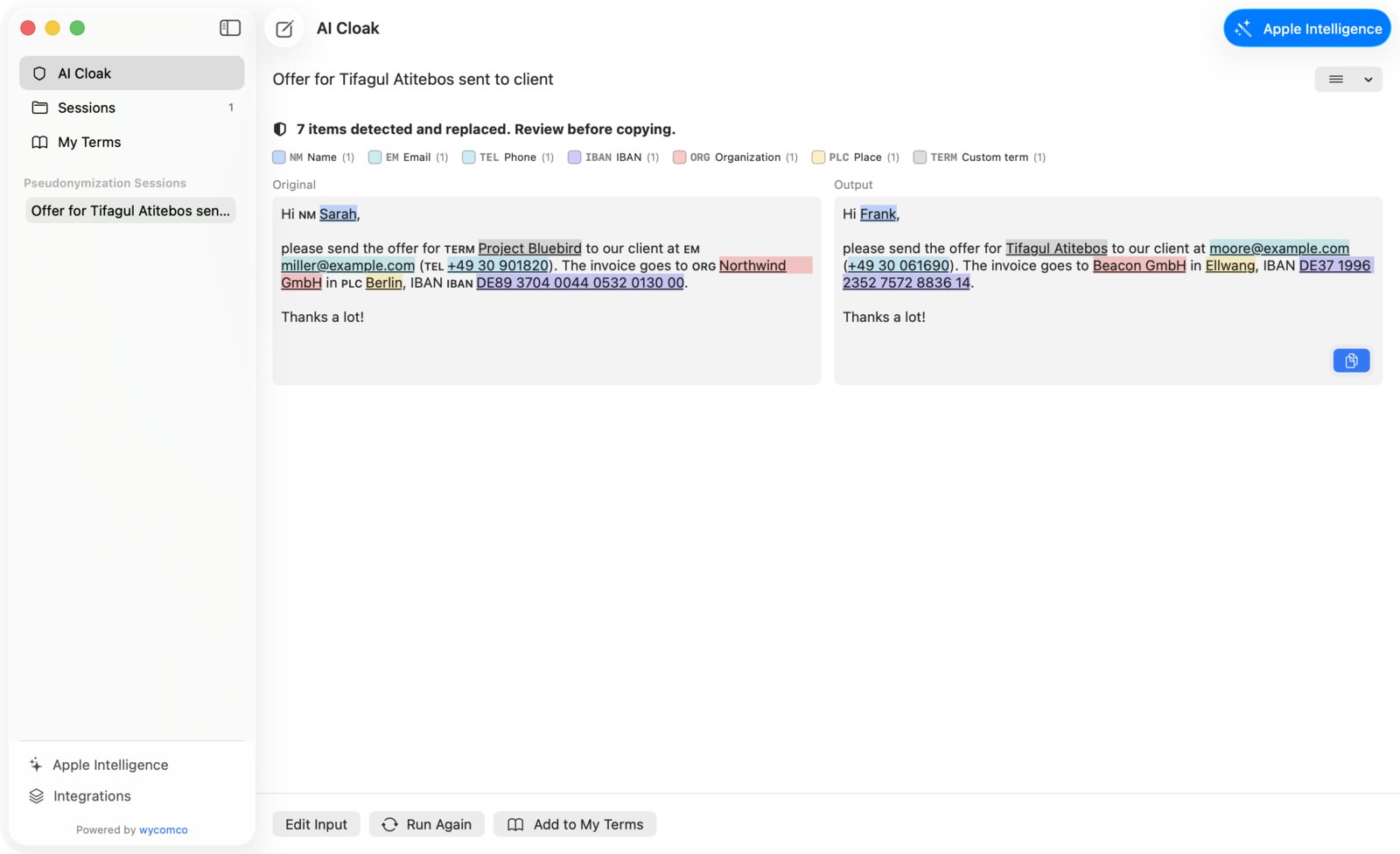
Screenshots

The app, as it actually looks.

Privacy

Privacy is not a feature here. It is the product.

“Data Not Collected”

And this website

For organizations

One engine, available in every workflow through native interfaces.

The same on-device engine, from a script

# pipe text through the bundled CLI — stdin to stdout $ pbpaste | aicloak pseudonymize --json | tee cloaked.json $ aicloak restore --session 9F2C < answer.txt # anonymizing needs no session — nothing is stored $ aicloak anonymize < report.txt > report.public.txt # or let an MCP client drive the same engine $ aicloak-mcp # stdio transport, no network entitlement

Managed by MDM

Licences through Apple Business Manager

Who builds this

wycomco. Apple people, in Berlin.

Certified Apple Technical Partner
Questions

Good to know before you install.

Try it on a text you would never have pasted.

Support

A real person answers.

Or come by

wycomco GmbH
Fasanenstraße 35
10719 Berlin

A note on sending us text